
Values, Goals and Life Balance
Declare what matters and the weekly balance you want, then see how your real week compares, on desktop or phone.
These images are illustrations of the concept, not screenshots of the actual product.
Overview
Values, Goals and Life Balance is where TimeCampus asks a question most time tools never do: what do you actually want your week to look like? The concept lets a person name the parts of life that matter to them, give each one a weekly target in hours and a priority, and then compare that intended balance with where their time really went. Work is one domain among many, alongside sleep, health, family and relationships, learning, leisure, commute, chores, self-care and social time.
Most people have no honest, low-effort picture of their whole week. Work tools see only work hours, and wellbeing apps each see one slice. Without a declared target there is also nothing to measure against, so a busy week can feel successful even when it crowded out everything else. The design makes the target explicit first and treats the gap between intended and actual time as the insight.
The illustrations follow that path. On the Values & Goals page, a row of value cards covers areas such as family, health, craft and learning, rest and recovery, and friendships. Each card carries a short description, a weekly hour target set with a slider and a priority chip. A note beneath the cards states that these values shape the balance wheel, the Time Well Spent score and recommendations, and a Key Goals section tracks longer-running personal goals with percentage-complete progress bars. The Life Balance page then draws a segmented wheel with a dashed desired ring and filled actual segments for each domain, next to a per-domain list of this week's hours against target. On a phone, the same idea becomes a Today view with a balance ring, a card for each domain showing time so far against the day's target, and one gentle suggestion at the bottom.
The wheel and the daily view are designed to measure the hours already present in the person's timeline, including time they log themselves for life domains. Because the values declared here also feed the Time Well Spent score and values-aware recommendations, this concept is the anchor of the Life Intelligence area.
What this concept shows
- Value cards for areas such as family, health, craft and learning, rest and recovery, and friendships, each with a short description
- A weekly hour target for every value, adjusted with a slider
- High or medium priority chips on each value
- A Key Goals section with percentage-complete progress bars for personal goals
- A life balance wheel that overlays the desired share of each domain as a dashed ring on the actual share as filled segments
- A per-domain list of this week's hours against target with up and down indicators
- A mobile Today view with a balance ring, per-domain progress against daily targets and a downtime suggestion
How it works
- Open Values & Goals and review the value cards for the areas of life that matter to you.
- Set a weekly hour target for each value with its slider and mark its priority.
- Add key goals and follow their percentage-complete progress.
- Open Life Balance to compare the actual share of your week with the desired ring on the wheel.
- Scan the per-domain list of this week's hours against target to find the biggest gaps.
- Check the Today view on your phone during the day and act on the suggestion it offers.
Who it's for
- Individuals who want a whole-of-life view of their time
- Professionals trying to protect family, health and rest time
- Parents and caregivers balancing work and home
- Students balancing study with the rest of life
Illustrations
3 illustrations of this concept. Select one to view it full size.
Values & Goals: Declaring What Matters
This illustration shows the Values & Goals page in a desktop layout, with a compact left rail for Dashboard, Schedule, Analytics, Values & Goals, Community and Settings, and a search field for priorities along the top. Five frosted value cards run across the page: Family, Health, Craft & Learning, Rest & Recovery and Friendships, each with an icon and a one-line description such as nurturing connections or physical wellness. Every card shows a weekly target in hours, a slider to adjust it and a priority chip marked High or Medium. A note under the cards explains that these values shape the Balance Wheel, the Time Well Spent score and recommendations. Below, a Key Goals section holds goal cards, here sample goals such as training for a marathon and learning a front-end framework, each with a percentage-complete progress bar. The design demonstrates declaring intent before any measurement happens.
Life Balance Wheel: Actual vs Desired
This illustration shows the Life Balance page. The main panel is a segmented wheel with one segment per life domain, labeled around the edge with domains such as work, sleep, health, family and relationships, learning, leisure, commute, chores, self-care and social. A legend distinguishes a dashed Desired ring from the filled Actual segments, so a domain that falls short of its intended share is visible at a glance. To the right, under the heading Your week vs the life you want, a list of per-domain hours this week against target shows one row per domain with two hour figures and a small up or down indicator, all sample values. A slim icon rail on the left links to other areas of the app. The design demonstrates that the gap between intended and actual time, rather than raw hours, is the insight.
Today's Life Balance on Mobile
This illustration shows the balance concept on a phone in portrait orientation. A side rail inside the app offers Home, Balance, Calendar, Tasks and Goals. The Today / Life Balance screen opens with the date and a colored ring divided into work, sleep, family, health and leisure, each labeled with its share of the day, around a central balanced percentage marked On Track, all sample figures. A Today So Far list follows, with one card per domain showing time spent against the day's target, a completion percentage and a short note, such as a completed focus block, a consistent sleep cycle, an evening family dinner, a morning workout or reading time. The final card suggests prioritizing downtime by scheduling a short leisure block that evening. The design demonstrates a quick daily check-in that nudges without nagging.
Topics
- life balance wheel
- work-life balance tracker
- personal values and goals app
- weekly time targets by life area
- desired vs actual time
- life domains time tracking
- personal goal progress tracking
- daily balance score on mobile
- time budget for family and health
Related concepts
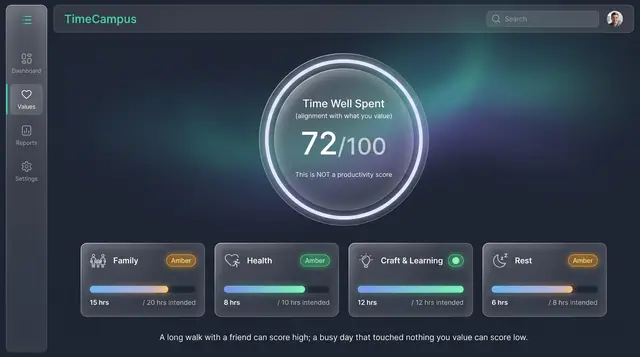
Time Well Spent Score
An alignment score that measures how closely your week matched what you value, not how much you produced.
2 illustrations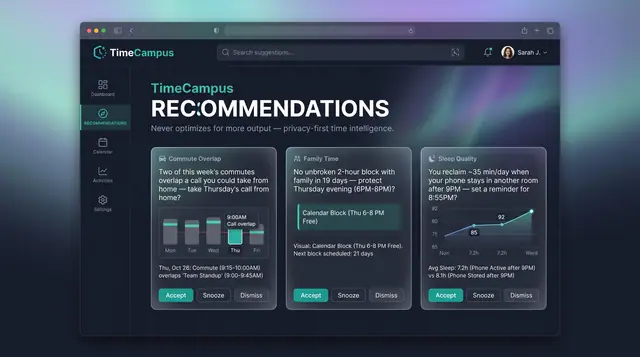
Values-Aware Recommendations
Personal, evidence-backed suggestions grounded in your own week, with guardrails that never push for more output.
2 illustrations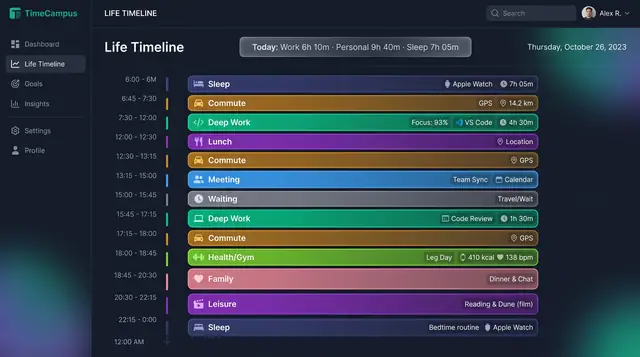
Life Timeline and Life in Weeks
See a whole day across work, rest, family and health, then zoom out to every week of your life lived and still ahead.
2 illustrations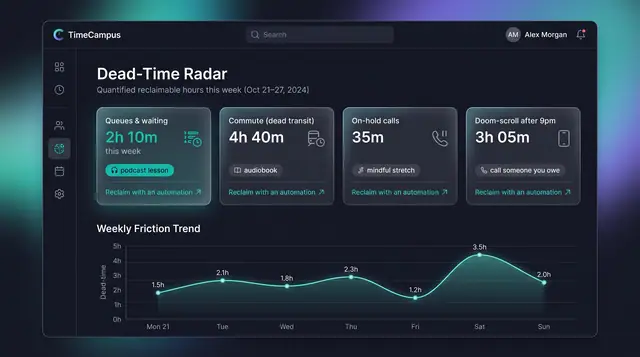
Dead-Time Radar
Quantify the hours you never chose, from queues and dead transit to late-night scrolling, and see how to take them back.
2 illustrations